
Overview
Get to know the real-time traffic on your route by using a Google map in your car. Modern technology in cars is common but not everyone knows the real use of modern features. Automakers have developed advanced features in cars to make riding comfortable and convenient. Using a mobile phone while driving is prohibited but using a mobile navigation is not. Google is very known to all of us and easy to use.
Make Google Maps useful and helpful for yourself. We will provide you with a guide to using Google Maps. This would help you to make the destination short and convenient.
How to Use Google Maps in the Car
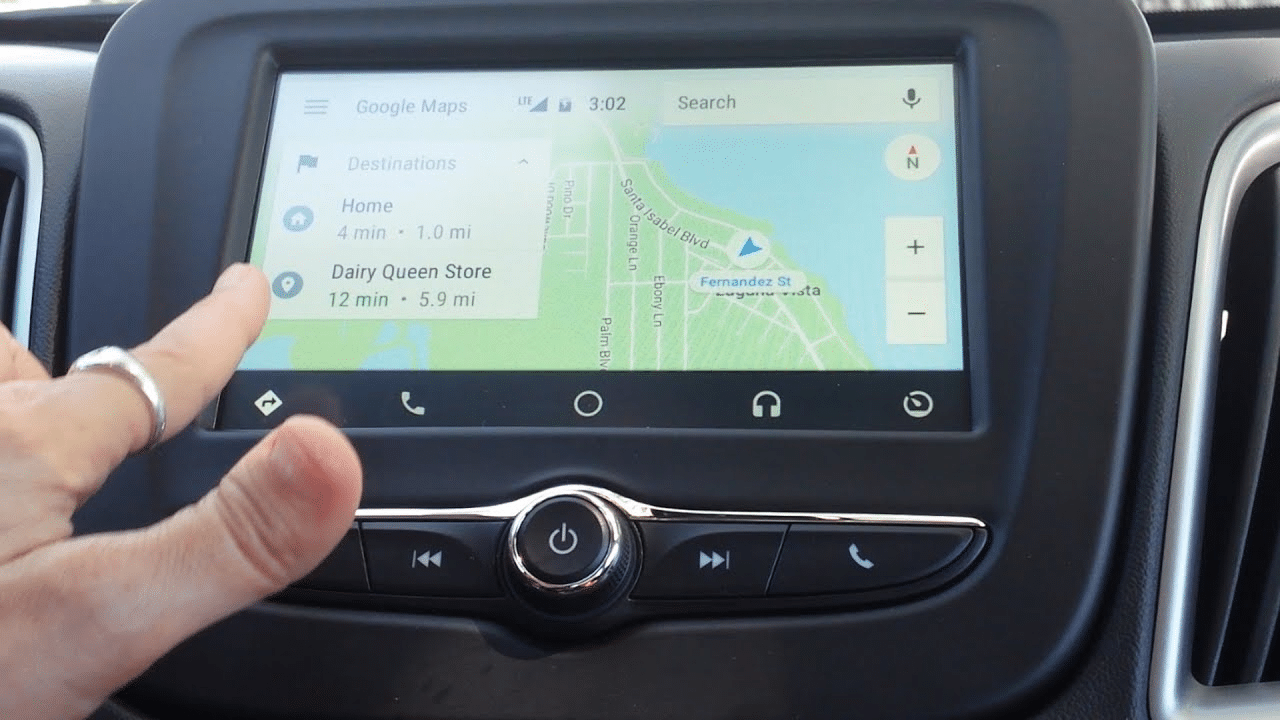
You should have an LCD in your car to use google maps. You will have a clear look at the map on your car LCD screen and the map will guide you to a better way to reach to destination. Here is a simple point you should know to use a Google map in your car.
- Search Google map or use voice commands to open the map.
- Open google maps on your car’s home screen.
- On the top of the map, you will see a search bar that is used to find a destination “Search for your destination”. Enter your destination.
- The map will show you the best route to your destination.
- You will have an option for the “Start” button at the bottom of the map. Click on it and start your route.
- After reach to the destination click on “Close” to end google maps help.
Benefits of Using Google Maps In Car
All we know Google has better information than us. Google map means you can find any route on it. But you should know the right way to use maps. Follow the Google instructions. If you know the right route you can use maps only to check the traffic flow on your routes. Google Maps have different benefits for its users.
Find Free Address
There are no fees Google will ask you for finding a destination. This is a free app and just required the internet to use it. If you don’t want to use Google recommendations, you can use it to find other options to reach your destination. It is like you have a map in your hand and can go for the mind option. You will have free access to city locations, phone numbers, and zip code, and calculate street addresses.
Instant Direction With Voice Navigation
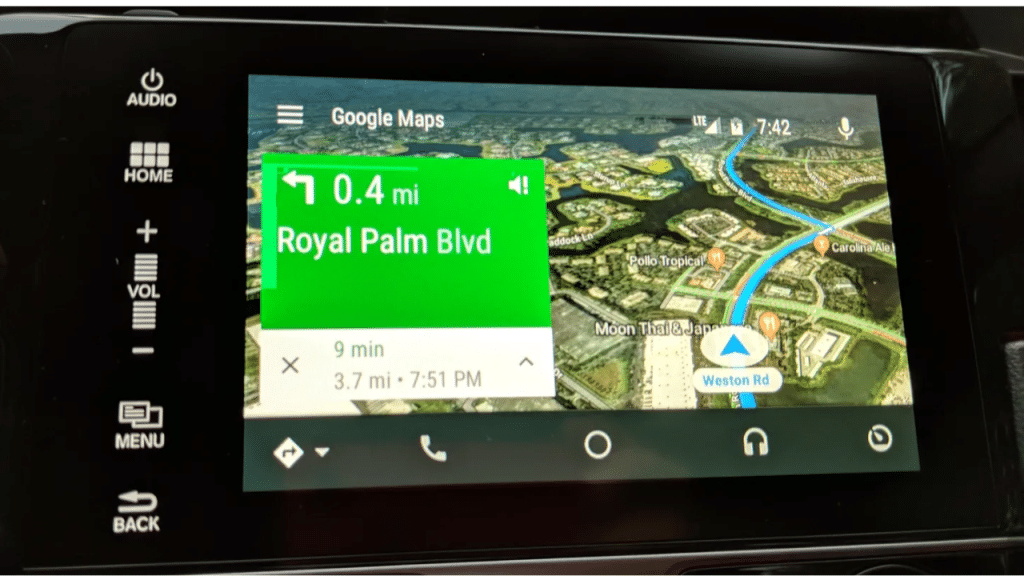
Google becomes more advance for us. Map will guide you a way through voice navigation. It means add your destination and then follow the ma instruction. Don’t need to keep an eye on the map just follow the voice instruction and reach your destination very shortly.
Check the Traffic Flow
You can check the traffic flow on the roads. Google Maps will show you rush areas on your way so you have the option to change your route. This would be great to know the most rush time for traffic so you can schedule your daily route on the best options.
Find Short Cuts
Sometimes the shortest way is possible with Google. You can check the shortcut to your destination with Google. Don’t need to follow maps. Just follow the street direction it shows you. A map will clearly show the closed street and under-construction roads. So, you can easily find out the best way for your route.
Conclusion
Don’t use a mobile while driving a car. Google Maps is a better solution to reach your destination. Using a map in the car is very easy because voice navigation helps you to take turns and cut correctly. Don’t worry about under-construction roads because your map knows everything as per its back-end commands. It will save you a lot of time and also keep you away from rush areas.